What a controlled CS2 peek should do
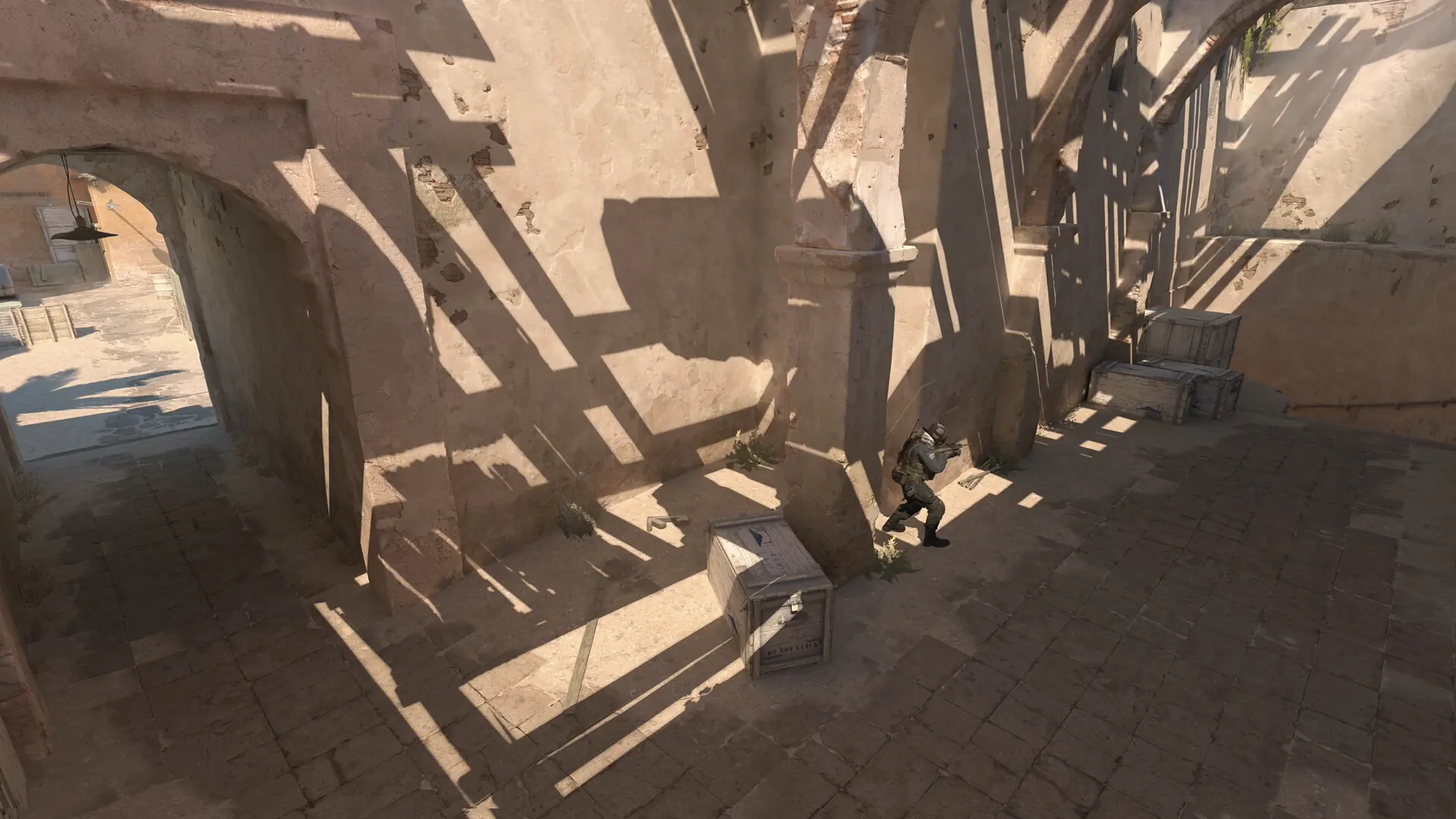
A CS2 peeking practice rep connects movement, crosshair placement, visibility and the decision to shoot. Before leaving cover, decide what information or contact you want. Put your crosshair near the likely head-height contact line, move far enough to see the intended slice of the angle, then stop and decide whether the next input is a shot, a return to cover or a second planned movement.
Use the same corner and the same starting mark for a short practice set. If the start position changes on every rep, you cannot tell whether a better result came from the peek or from an easier angle. Pick a doorway or piece of cover on a map you already play. The first job is to make the setup repeatable; map variety can come later.
There is no universal millisecond target for a good CS2 peek. Display refresh, frame pacing, network conditions, weapon accuracy, input timing and the opponent's position influence what happens in a live round. A visual browser drill can rehearse attention or input order, but it cannot reproduce a CS2 server or validate a particular duel timing.
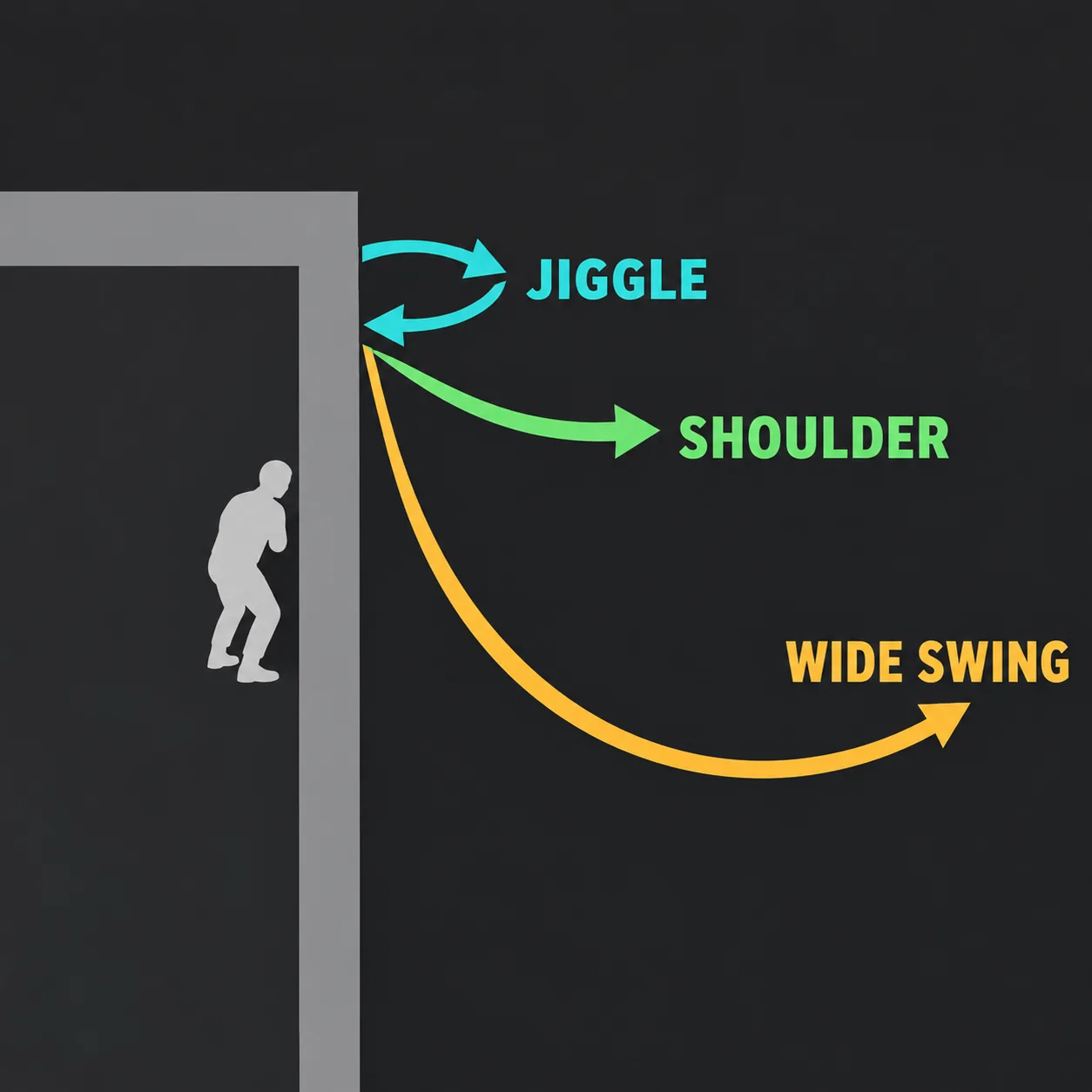
Jiggle vs shoulder vs wide swing
Players use peek terms somewhat differently, so treat the labels as practice shorthand rather than official game mechanics. The useful distinction is the job you want the movement to do: collect a clue, bait a response, or commit to a fight.
| Peek style | Practice goal | Exposure | Reset rule |
|---|---|---|---|
| Jiggle peek | Briefly inspect an angle or provoke a shot | Small, repeated slice | Return fully behind cover before the next rep |
| Shoulder peek | Show just enough of the model to invite a reaction | Small to moderate; terms overlap with jiggle peek | Do not assume the opponent fired; observe before repeating |
| Wide swing | Clear a sightline or take a planned duel | Larger and more committed | Finish the action; avoid drifting halfway out and stopping |
| Re-peek | Re-enter an angle after a reset | Depends on the second approach | Change the timing or position if the first look was noticed |
Choose by information, not by habit
If you do not know whether an opponent is holding the angle, a brief information peek may answer a narrow question. If you already have a teammate ready to trade or you have decided to challenge the position, a wider movement may be more purposeful. If you are alone and unsure, do not turn uncertainty into a repeated exposure from the same spot.
Crosshair placement should be ready before movement begins. If the crosshair starts on the floor or on the wrong side of the opening, a faster peek only reveals the mistake sooner. Rehearse a single likely contact point, then deliberately change it on a later set rather than making unplanned corrections mid-rep.
Five CS2 peeking drills to practice
1. Mark one starting position
Choose a corner on a current map or a verified CS2 Workshop practice map. Stand at a repeatable mark and identify one visible edge you want to clear. Keep your weapon, sensitivity, display and distance consistent for this set. You are isolating angle approach, not testing every variable in your setup.
Take five slow reps. Before each one, state the goal in a few words: “check the close edge,” “show shoulder,” or “commit to the line.” Return behind cover after every rep. If you cannot describe what the rep was for, reset and simplify it.
2. Practice a short information peek
Move just far enough to inspect the chosen slice, then return behind cover. Do not add a shot unless the drill is specifically about taking contact. The practice question is whether you saw what you meant to see and whether you returned to a protected position without continuing forward by accident.
Use the same cadence for a small set, then pause. If a teammate or opponent is involved in a real round, their location and utility can change the value of the peek; a solo practice setup cannot reproduce all of that context.
3. Pair the peek with a clean stop
For a movement-and-shot rep, approach the angle, stop your lateral movement, confirm your crosshair is on the intended contact line, then take one deliberate shot. In CS2, players often rehearse an opposing directional input as part of counter-strafing. The CS2 movement trainer can help rehearse A/D input order, but it is an abstract browser exercise: it does not simulate CS2 acceleration, weapon inaccuracy or server timing.
Keep this drill slow enough to identify the order of actions. If the shot happens while you are still correcting movement or crosshair position, reset. Increasing speed before the sequence is consistent usually turns the exercise into a test of guesswork.
4. Commit to a wide swing only when the task calls for it
Start from the same mark and move through the selected sightline with a clear intention to take the duel. Do not pause in the exposed middle of the movement because you changed your mind. If you are not ready to commit, choose an information peek instead and return to cover.
Repeat the drill from the opposite side only after the first side feels understandable. The geometry may be mirrored, but the likely contact point, cover distance and space to move can differ. Do not assume that the same crosshair path works equally well on both sides.
5. Review the result and vary one condition
After a short set, record a small observation: did you see the edge, was the crosshair already placed, did you stop before shooting, and did you reset fully? A simple yes/no checklist is more useful than inventing a score that the practice setup cannot validate.
Change one condition for the next set. Move the start mark a little, select a different angle or change from an information peek to a committed entry. Keep the other conditions steady. This makes it easier to notice which decision changed the outcome.
A repeatable 10-minute peeking practice routine
| Time | Task | What to keep consistent |
|---|---|---|
| 0:00-1:00 | Choose one angle and mark a starting position | Map, weapon and starting distance |
| 1:00-3:00 | Five slow information peeks | Same slice of the angle and full reset |
| 3:00-5:00 | Five movement-stop-shot reps | Same crosshair contact line and shot goal |
| 5:00-7:00 | Five committed wide-swing reps | Same entry direction and clear intention |
| 7:00-9:00 | Repeat the weakest drill | Change only one setup detail if needed |
| 9:00-10:00 | Write one observation for the next session | Describe an action, not an expected rank result |
Shorten the routine if you become rushed or fatigued. The aim is not to maximize repetitions; it is to keep the movement and decision clear enough that you can correct one thing. For a broader practice schedule, the site's CS2 warmup routine combines short blocks for aim, movement and map transfer.
Mistakes that make peeks harder to read
Repeating the same exposure after it has been noticed
A second peek from the same position, with the same timing and path, can be predictable. In practice, rehearse a deliberate reset and choose whether to change timing, angle or team support before exposing yourself again. Do not treat a repeated movement as a guaranteed way to win a duel.
Using a wide swing to solve poor preparation
More movement does not repair a crosshair that starts in the wrong place. First practice the likely contact line with the CS2 crosshair placement trainer, then transfer the habit to a real corner. The trainer is a browser exercise, not a substitute for current map geometry.
Mixing several goals in one set
Changing weapon, side, distance, sensitivity and movement style at once makes the result hard to interpret. Keep a short log of the angle and one variable you changed. If you want to compare Workshop options, use the CS2 training maps guide to check the current listing and choose a map whose task matches the drill.
Treating a clean practice rep as a live-round guarantee
A practice map cannot recreate every opponent, teammate call, utility combination or server condition. The drill is useful when it gives you a repeatable decision. Confirm that the movement still makes sense in actual rounds and adjust to the information you have.
Use demos and tools for different jobs
A relevant demonstration can help you see how a player exposes a corner and resets. The community tutorial below is by fl0m; it is creator material, not an official Valve training resource. Use it as one visual example, then compare the sequence with your own map and situation. There is no need to copy every movement from a video into every duel.
A Workshop map is useful when it provides repeatable CS2 geometry, bots, reset controls or a clearly described peek task. Check the current Steam Workshop listing and its recent notes before using community content; listings and instructions can change. The site's browser drills isolate different parts of practice: the CS2 movement trainer rehearses directional input order, while the main CS2 reaction test measures a browser visual response. Neither tool reports actual CS2 match latency or a validated competitive percentile.
The official Counter-Strike 2 page identifies the game and its competitive context. The Counter-Strike 2 Workshop is a community-content listing. Steam hosts the content; that does not mean Valve endorses a particular training map.
CS2 peeking practice FAQ
What is the best way to practice peeking in CS2?
Start from one repeatable position and choose a single goal: gather information, bait a shot or commit to a duel. Repeat that movement, return fully to cover and review crosshair placement and the stop before firing. Add speed only after the sequence is understandable.
Should I jiggle peek or wide swing in CS2?
Use a brief jiggle or shoulder peek when the task is to inspect a small slice or provoke a response. Use a wide swing only when you are ready to commit to the sightline and the situation supports that choice. The terms overlap in player usage, so define the movement by its goal.
Is there a CS2 peeking practice map?
Workshop listings change, so verify that a current listing targets CS2, describes a repeatable angle or peek task, and explains its controls. The training maps guide explains how to compare map categories without relying on a remembered Workshop ID.
Can a browser movement trainer teach CS2 peeking?
A browser trainer can rehearse input order or attention, but it does not reproduce CS2 movement physics, hitboxes, weapon behavior or server conditions. Use it for a narrow warm-up signal and confirm the habit in a private practice session or live match.
How many repetitions should I do?
There is no validated universal rep count. A short set of five slow, comparable reps is a practical starting point because it leaves time to notice a repeated mistake. Stop or change the task when you can no longer tell what the movement was meant to practice.
Does peeking practice improve reaction time?
Peeking practice combines preparation, movement, crosshair placement and a decision about contact. A browser reaction test measures a different visual task. It can give you a separate response signal, but it does not prove that your in-game reaction time or duel outcome changed.
Make every peek answer one question
The most useful CS2 peeking practice is repeatable: choose one angle, pick an information or commitment goal, place the crosshair before moving, stop before a planned shot, and reset behind cover. Keep the set small, change one condition at a time and verify the habit in current game geometry. A guide, Workshop drill, community video and browser trainer can each support one part of the process, but none is a rank guarantee or a complete substitute for match decisions.